Can Figma be learned in two days, without any previous design knowledge?
We tried it out: Developers and sales employees of a long-standing customer in the software development sector, who were previously hardly familiar with design tools, took the plunge. The aim was to create simple screens with forms, tables and dialogs independently within two days using the company's own Figma component library.
Goals
- Get to know the Figma interface and basic functions
- Create your own screens (dialogs, forms, tables)
- Use components from your library: Buttons, fields, checkboxes, radio buttons
- Apply text and color styles
- At the end: create a clickable prototype
The challenge
The participants had no design experience whatsoever. The biggest difficulty: Figma is very powerful, we had to concentrate on what was absolutely necessary so as not to overwhelm anyone. Step by step, from very simple shapes to prototyping.
How the 2-day workshop went
Day 1: Basics & quick successes
Goal: a quick sense of achievement and a solid basis for day 2.
Tasks on the first day:
- Create your own page
- Create frame for desktop
- Insert title text
- Build two buttons - combine rectangle + text
- Adjust color & alignment
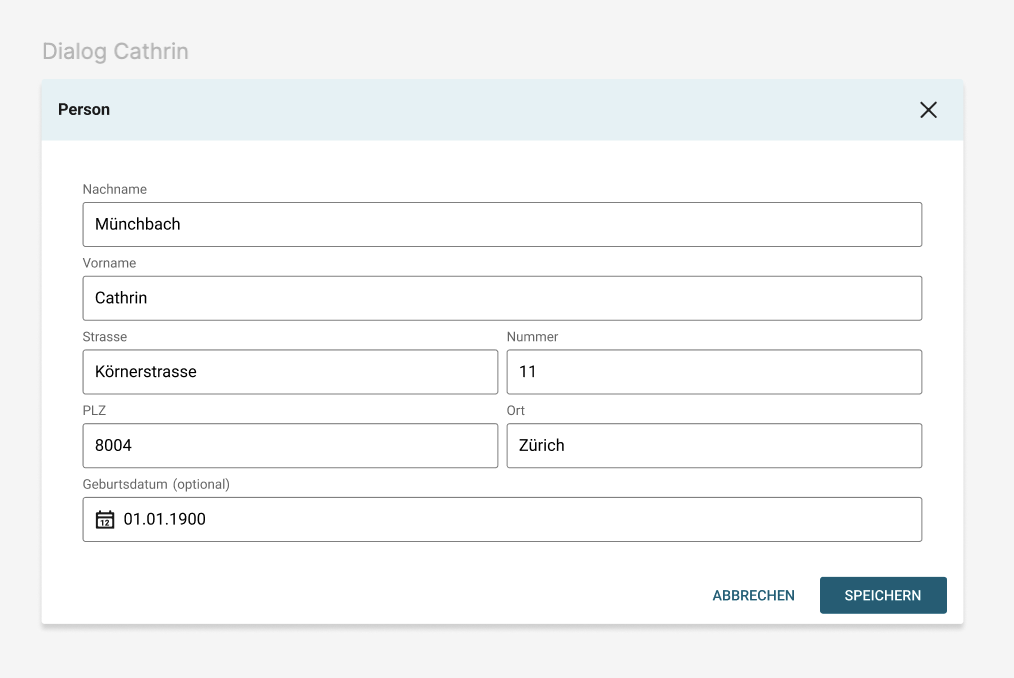
- Build first dialog → with auto layout (header - content - button bar)
- Use components from the library (e.g. buttons, input fields)
Each participant had a first screen with a title, buttons and a functional dialog with auto-layout at the end of day 1.
Day 2: Components, tables & prototype
On the second day, we went one step further. From the application to your own design:
Components
- Create your own components
- Create additional variants of the component (e.g. button: Primary, Secondary, Disabled)
- Create instances → learn what can be changed and what is fixed
- Customize component → observe what happens with a "detached" instance
Tables
- Create your own table with auto layout
- Create header row, content rows and actions (edit/delete)
Dialog
- Build your own dialog as a reusable component
Prototyping
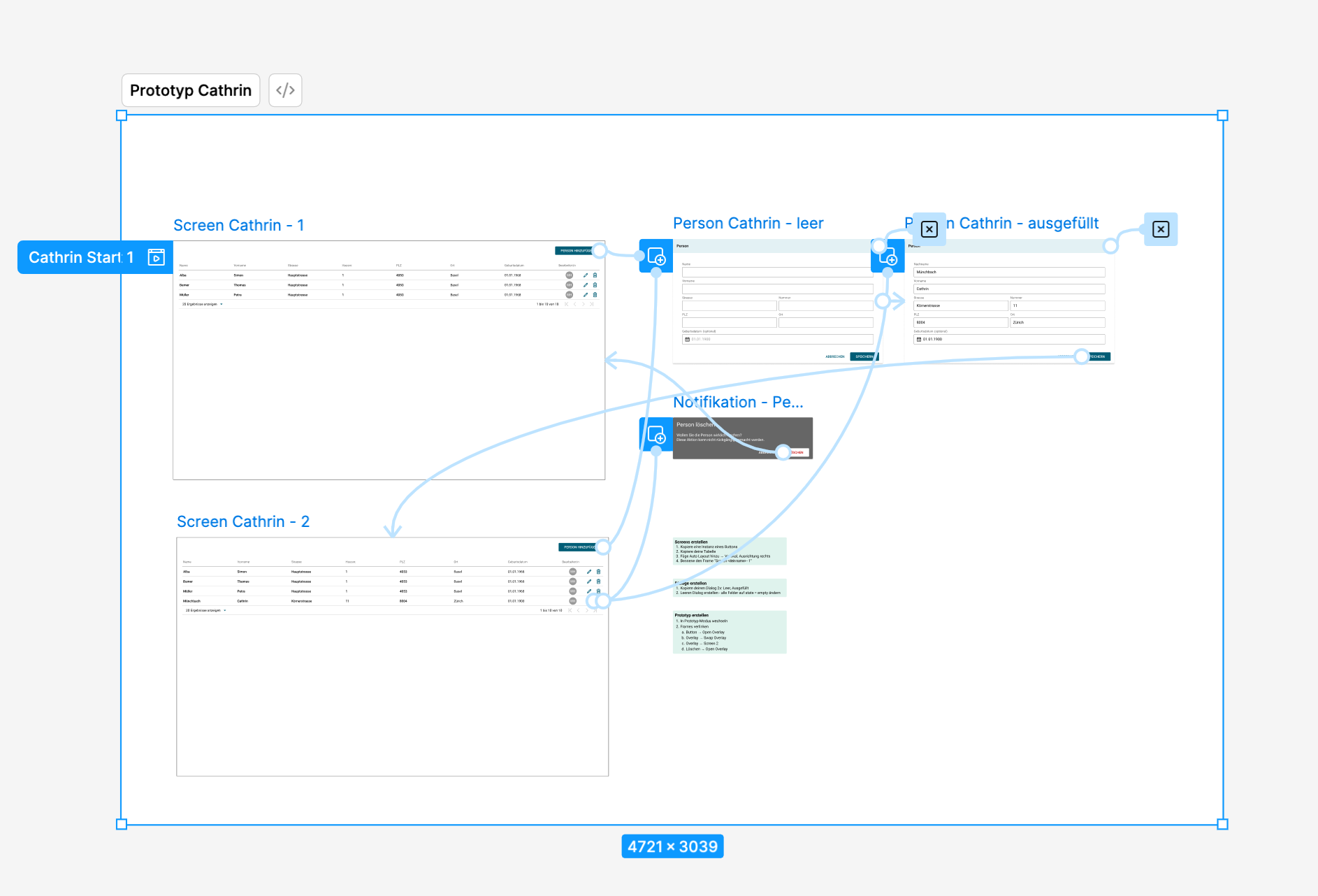
- Create clickable flow:
- "New" button opens dialog
- Entry is visually added to the table
- Buttons for "Edit" and "Delete" linked
Results
After just two days, all participants were able to:
- create your own components and variants,
- Design tables and dialogs yourself,
- build clickable prototypes that can be tested and shared.
The best thing was that the team had not only learned the technology, but also developed a desire to use Figma as a joint communication and prototyping tool.
Conclusion
Figma is not just for designers. With focused, hands-on training, development and sales teams can also learn to create their own screens and build prototypes in no time at all.
Important: proceed step by step, avoid excessive demands and give plenty of time to try things out.